# Git Quick Stats for your repository
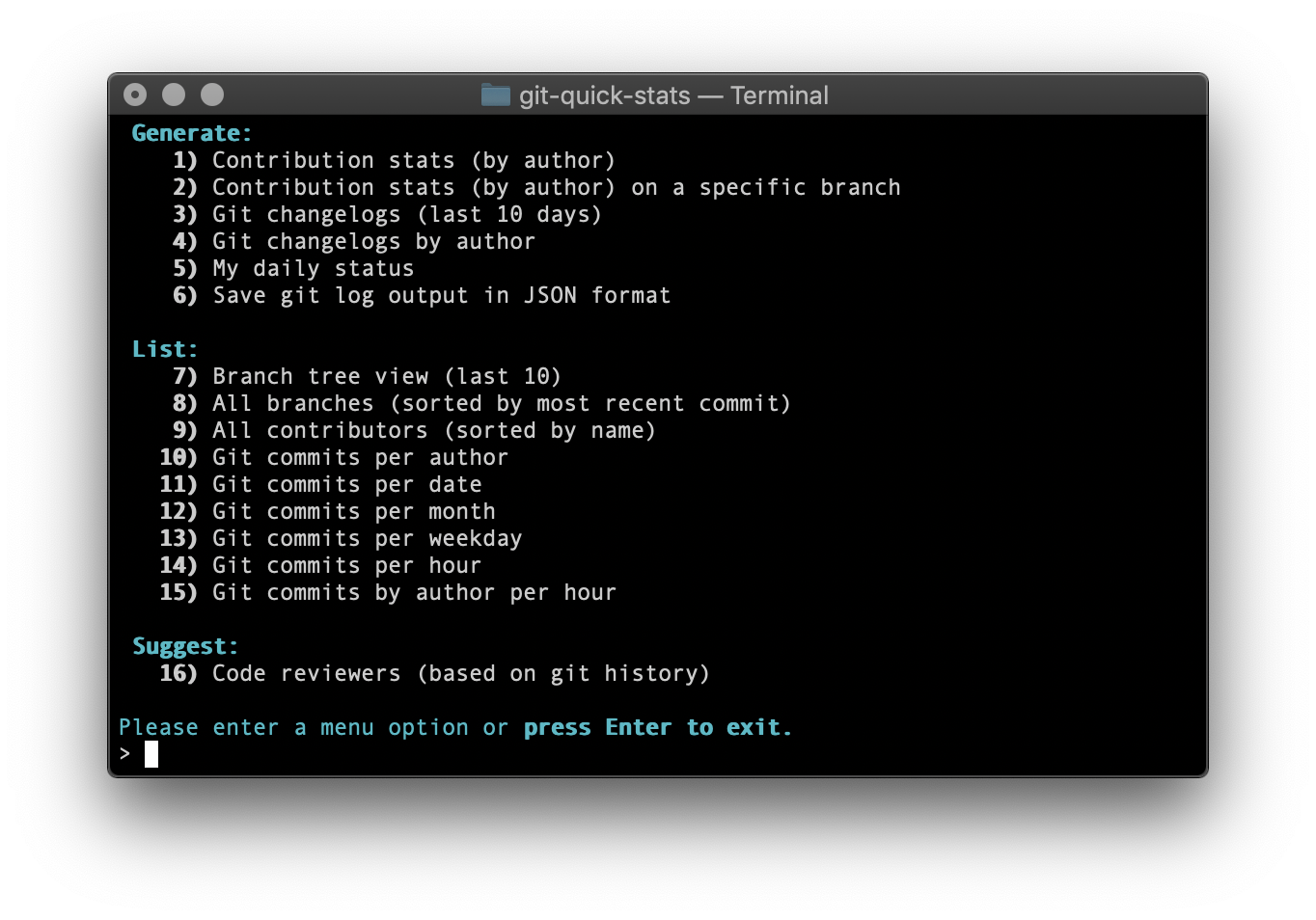
In this short blog, I want to write about git stats which I frequently use to find out a few interesting stats about the team git repository. I normally use [Git Quick Stats](https://git-quick-stats.sh/) command-line utility to see Quick stats on the git repository.
Below are the few interesting stats which we can see using [Git Quick Stats](https://git-quick-stats.sh/)
## Installation
### Mac Os
You can install this on Mac Os using Homebrew
```
brew install git-quick-stats
```
### Debian and Ubuntu
If you are on at least Debian Bullseye or Ubuntu Focal you can use apt for installation
```
apt install git-quick-stats
```
You can visit [Git Quick Stats](https://git-quick-stats.sh/) to know the installation steps for Windows and Docker.
## Exploration
Below are the few sample metrics which I want to mention in detail:
* [Git commits per weekday](#git-commits-per-weekday)
* [Git commits per hour](#git-commits-per-hour)
* [Contribution stats By Author](#contribution-stats-by-author)
## Git commits per weekday

This metric helps to analyze which day of the week your team members are very much active.
- If the distribution of commits is more or less the same across all weekdays then most probably your team is working uniformly throughout the development sprint.
- If you see that there are significantly more commits one or two days before the release day compared to other days, then it might indicate that developers are waiting till last day of the release to resolve things ;)
## Git commits per hour
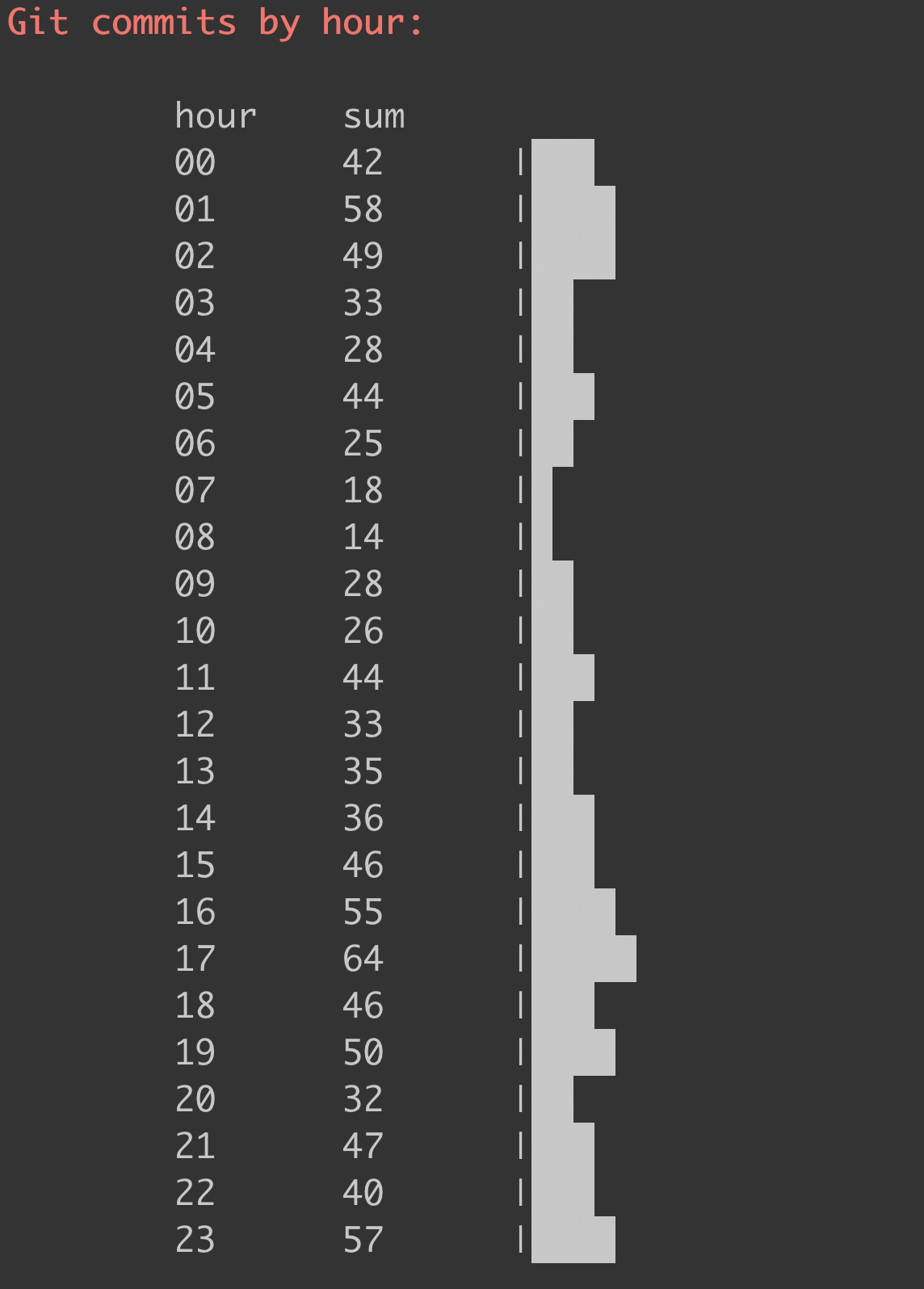
This metric helps to analyze what are the most effective hours of the day for your team.
- If the distribution of commits is more or less during your office hours, then it might indicate your team members are utilising the office hours to the best. :)
- If you see that there are significantly more commits during late hours or early morning hours you can easily conclude the most effective working hours of your team mates if they are Night owls or Early birds :)
## Contribution stats By Author
```
User1 :
insertions: 81 (12.3%)
deletions: 52 (14%)
files: 5 (0.5%)
commits: 1 (0%)
lines changed: 133 (0%)
first commit: Sat Apr 11 18:52:36 2020 +0530
last commit: Sat Apr 11 18:52:36 2020 +0530
User2 :
insertions: 4 (0.6%)
deletions: 4 (12.10%)
files: 4 (0%)
commits: 1 (0%)
lines changed: 8 (0%)
first commit: Mon Jul 27 13:30:39 2020 +0900
last commit: Mon Jul 27 13:30:39 2020 +0900
```
This metric gives a detailed break up of the following metrics group by author
- No of inserted lines
- No of deleted lines
- No of files changed
- No of commits
- First commit
- Last commit
Visit [Git Quick Stats](https://git-quick-stats.sh/) to find out other interesting git stats for your repository.
## Thank you for reading
### If you like what you read and want to see more, please support me with coffee or a book ;)
